How Print Shops Can Work Smarter and Earn More
Running a print shop today involves much more than just printing documents. Shop owners deal with customer queues, document handling, payment management, and daily operational challenges.
This is where print automation becomes important.
Quantan is designed to simplify these workflows and help print shop owners operate more efficiently. In this guide, we’ll explore how shopkeepers can use Quantan’s software and dashboard to manage their print operations better and increase their daily revenue.
Why Print Automation Matters for Print Shops
Many print shops still rely on manual processes such as:
- Customers sending files through WhatsApp
- Using USB drives to transfer documents
- Manual payment collection
- Managing print queues verbally
Streamlined predictable workflow
While these methods work, they often slow down operations and increase the chances of mistakes.
Print automation helps remove these inefficiencies by introducing a structured workflow where documents, payments, and print jobs are managed digitally.
With Quantan, this process becomes streamlined and predictable.
How Quantan Simplifies the Printing Process
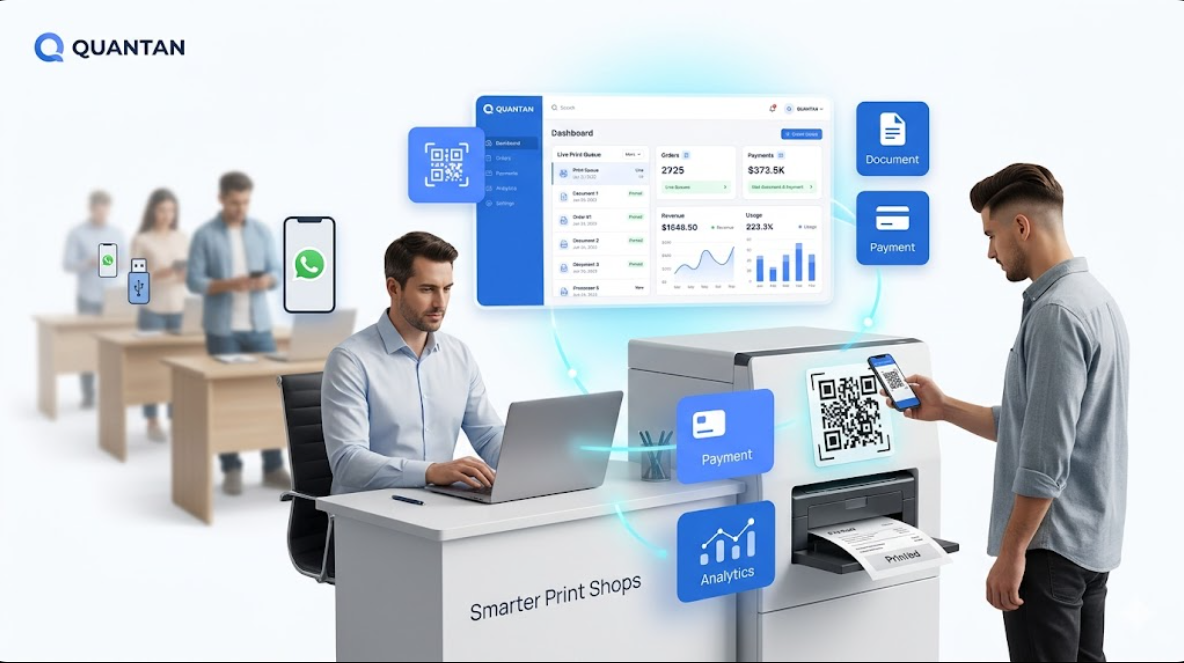
Quantan’s system connects customers, printers, and shop operators through a simple digital workflow.
The typical printing flow with Quantan looks like this:
- A customer scans the QR code placed near the printer or kiosk
- The customer uploads the document they want to print
- The customer selects print options such as pages, copies, or color
- The customer completes payment digitally
- The print order appears instantly on the shop dashboard
- The operator prints the document and delivers it to the customer
Simplifying management
This process removes the need for manual file transfers and helps the shop manage multiple print jobs smoothly.
Using the Quantan Dashboard to Manage Your Print Shop
The Quantan dashboard acts as the central control panel for your printing operations.
From one interface, shop owners can monitor and manage all incoming print requests.
Key features of the dashboard include:
- Live order queue
- Document preview and print status
- Payment tracking
- Print job history
- Daily and monthly performance insights
Staying organized
This centralized view helps shop operators stay organized and avoid confusion during busy hours.
Understanding Your Sales Dashboard
One of the most powerful parts of Quantan is the sales dashboard.
Instead of guessing how your shop is performing, the dashboard provides real data about your business.
Shopkeepers can view insights such as:
- Number of print jobs completed
- Daily revenue from printing
- Peak printing hours
- Popular print services (color vs black and white)
- Customer usage patterns
Data-driven decisions
These insights allow shop owners to make better decisions about pricing, staffing, and printer usage.
How Shopkeepers Can Increase Earnings with Quantan
Automation does more than simplify work — it can also increase your revenue.
Here are a few ways Quantan helps print shops earn more.
Handle More Orders During Peak Hours
During busy hours, print shops often struggle to manage multiple customers at once.
With Quantan’s digital ordering system, customers can upload files and pay directly from their phones. This reduces counter congestion and allows the shop to process more orders simultaneously.
Reduce Time Spent on Manual Work
Manually receiving files, checking documents, and confirming payments takes time.
Quantan automates many of these steps, allowing shop operators to focus primarily on printing and serving customers.
This efficiency helps increase the total number of jobs completed each day.
Avoid Payment Confusion
With integrated payment tracking, every order is recorded digitally. This ensures that:
- Payments are confirmed before printing
- Revenue records remain accurate
- End-of-day reconciliation becomes easier
Improve efficiency and control
This transparency improves both efficiency and financial control.
Understand Your Business Performance
The sales dashboard helps shopkeepers understand how their business is performing.
By analyzing data such as print volume and peak demand times, shop owners can:
- Adjust pricing strategies
- Manage printer usage more effectively
- Plan staffing during busy hours
Data-driven business
These insights help turn a print shop into a data-driven business.
The Future of Print Shop Operations
The printing industry is evolving as businesses and customers expect faster and more convenient services.
Print automation platforms like Quantan are helping modernize print workflows by introducing structured digital systems.
For shop owners, this means:
- Smoother operations
- Better organization
- Higher productivity
- Improved customer experience