How to Start a Printing Kiosk Business in India (2025): The Complete Guide
Everything you need to launch a Quantan self-service printing kiosk as a kiosk partner in India — location strategy, legal setup, hardware selection, Quantan software, and what you can potentially earn.
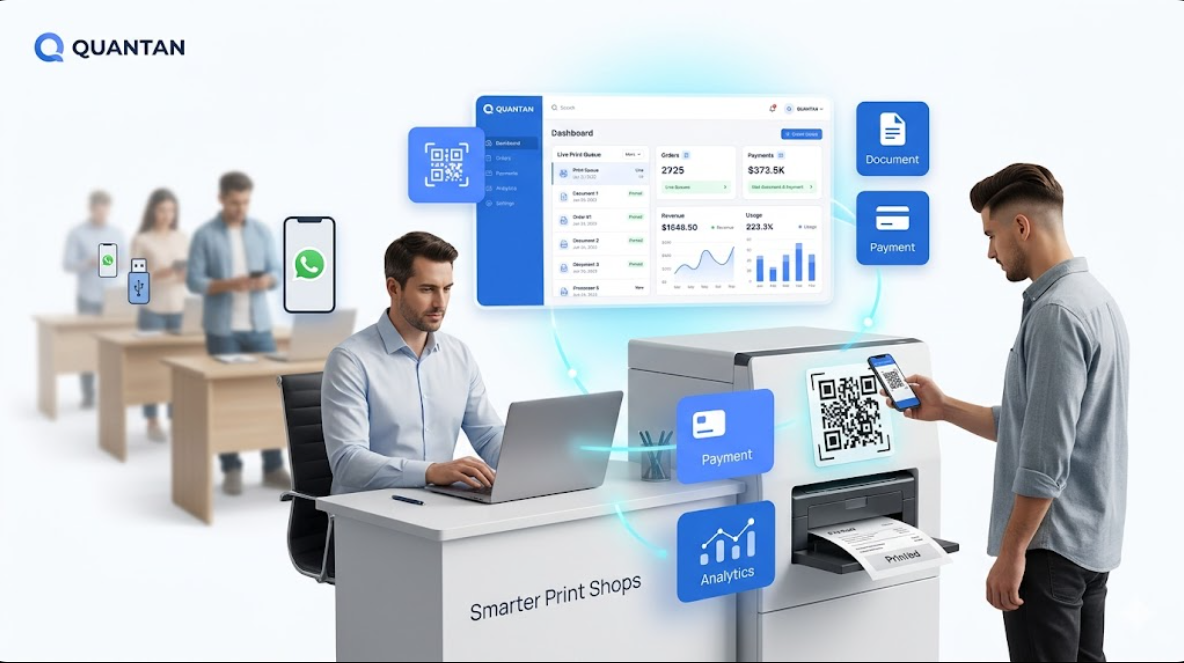
India's demand for physical document printing is enormous and growing. Students print assignments and admit cards. Job seekers print CVs. Citizens print government forms. Yet the infrastructure serving this demand — local Xerox shops with USB drives and manual queues — has barely changed in twenty years.
That gap is an opportunity. A single Quantan self-service printing kiosk placed in a high-footfall location can process dozens of orders daily with no full-time staff, giving the kiosk partner a potential source of ongoing income. Here is a complete, practical guide to starting this business.
Step 1 — Understand the Kiosk Partner Model
Quantan works on a kiosk partner model, not a franchise: you buy or lease the kiosk hardware (printer + kiosk enclosure), install Quantan software, choose a location with high printing demand, and keep 100% of the print revenue you collect. Quantan charges a flat 3% platform fee across every kiosk model — there is no franchise fee and no royalty.
- Revenue per A4 black-and-white page: ₹2–₹5
- Revenue per A4 colour page: ₹8–₹15
- Average daily transactions per kiosk in a college: 80–150
- Monthly gross revenue range: ₹25,000–₹80,000 per kiosk (estimate, not guaranteed — actual results vary by location and footfall)
"The best business in 2025 is one that solves a daily, high-frequency problem using automated technology. Printing is exactly that."
— Quantan Growth Team
Step 2 — Choose Your Location Carefully
Location is the single most important variable in your kiosk's revenue. You want a spot with high daily footfall and genuine, recurring printing need — not occasional demand.
- Engineering and degree colleges (highest demand)
- Student hostels and PG accommodation
- District courts and government offices
- Railway station concourses
- Co-working spaces and IT parks
- Hospital outpatient waiting areas
Step 3 — Legal and Business Registration
For a single kiosk, a sole proprietorship is the simplest structure. For two or more kiosks with partners, an LLP offers limited liability. You will need:
- GST registration (mandatory once annual turnover crosses ₹20 lakh)
- Local municipal trade licence for commercial placement
- Written agreement with the property owner or institution
- A current business bank account for UPI settlement
Step 4 — Select Your Kiosk
Quantan offers three kiosk models, priced excluding GST: Spark at ₹89,999 (with a higher version at ₹1,49,999), Pro at ₹1,04,999, and Ultra at ₹1,99,999. Each is built around high-duty-cycle laser or ink-tank printing rated for high monthly volumes, so avoid pairing the kiosk with consumer-grade inkjets — they are engineered for low volumes and their per-page cost makes kiosk economics difficult.
Step 5 — Deploy Quantan Software
Quantan transforms your printer into a Print ATM. The software stack handles customer-facing upload and payment, queue management, and the owner-facing analytics dashboard.
- Customer uploads via QR code — no app required
- UPI payment gateway integrated out of the box
- Per-page pricing you control from the dashboard
- Remote monitoring: paper level, ink level, job queue
- Sales analytics: daily revenue, peak hours, page counts
Step 6 — What You Can Potentially Earn
The table below shows illustrative earning scenarios based on daily job volume — these are estimates to help you plan, not a promise or a tested result. Your actual revenue and break-even timeline will depend on your specific location, footfall, and pricing.
| Scenario | Daily Jobs | Estimated Monthly Revenue | Estimated Break-even |
|---|---|---|---|
| Conservative (hostel) | 40 | ₹20,000 | ~18 months |
| Moderate (college campus) | 90 | ₹42,000 | ~10 months |
| Strong (district court) | 130 | ₹62,000 | ~7 months |
With two or more kiosks managed remotely through the Quantan dashboard, operational effort stays low as you scale — while Quantan's flat 3% platform fee means you keep the rest of every rupee earned.
Start Your Kiosk Business with Quantan
Talk to our team about partnership options, hardware recommendations, and software onboarding.
Get StartedElevate Your Print Business
Ready to see how our automation solutions can transform your daily operations and boost your bottom line?